Store
Our most powerful tool.
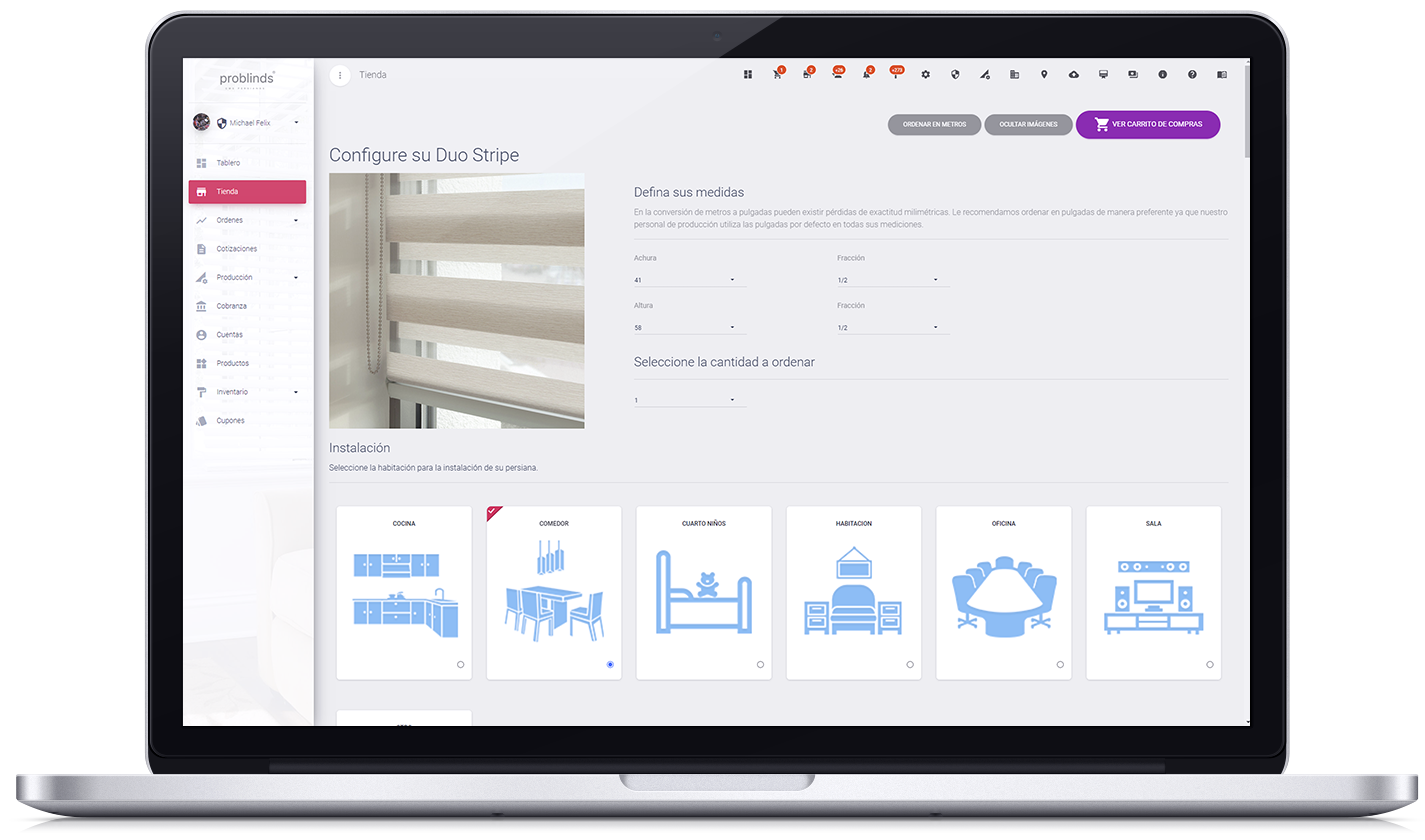
Specialized in Blinds
Online store with a modern and practical visual interface specially adapted for the sale of blinds, it also allows the sale of other products.
Configurable Options
It allows you to configure different options for each blind, both in terms of design, costs, information and inventory use.
Inches and Meters
These options allow the customer to define the measurements of their blinds in both inches and meters, making it easier to enter orders.
Multiple Currencies in Prices
Whether some prices are defined in pesos and others in dollars, the system will handle both currencies.
Sales by Excel Lists
The store will get the price of the blind that its customer is purchasing based on the pre-filled price lists.
Sale Per Square Meter
The store will calculate the price of the blinds your customer is purchasing based on the measurements.
Orders
Manage your orders with features that allow you flexibility.

Quotes
When generating an order or request, it can be stored as a quote under the name of an account, which allows it to be printed and/or purchased later.
Cancellations
Canceling products is a simple process that the customer carries out when making their purchase. They are allowed to cancel certain products if the order has not yet been processed.
Returns
Return control is a request made by the customer, it is approved or denied by the company and the customer receives a notification about it.
Status Visible
View the status of each product, this will inform you about the production line in which it is located.
Modification of Orders
Even after having received the order for your blinds, it is possible to edit the configurations that were defined by the client from the blinds configurator, that is, from the store itself.
Report
Print the report of orders generated by date ranges.
Accounts
Your accounts from one place, clients, distributors, employees.

Different Forms of Sales
Sell according to your price lists uploaded from Excel files or by the square measurement of the blind.
Group Segmentation
Your customer, distributor and employee accounts are organized in a grouped way, allowing you to define groups of both city and state names.
Multiple Currencies by Groups
Assign a different currency to each group, whether you want to sell in dollars to certain groups of accounts and in pesos to another group.
Customizable Taxes
The tax percentage can be defined either in each account directly or personally and on a group basis covering a certain group of accounts.
Discount Application
Like taxes, discounts can also be assigned by default to each account or as a group to an entire group of accounts.
Report
Allows you to print a report of the total sales obtained by each customer or distributor account.
Visit a Demo Store
Learn how to use the online blinds store installed for our client, Alico Elegance S. de R.L. de C.V., in Tijuana, Baja California. The administrative modules are not available in the demo version. Once the link opens, click the Log In button.
Monthly subscription plans
All subscription plans come with unlimited updates and technical support in every package.
Starter
$799
USD / TAXES NOT INCLUDED (16%)Business
$1,500
USD / TAXES NOT INCLUDED (16%)Coporative
$2,700
USD / TAXES NOT INCLUDED (16%)By pressing the button you accept the Terms and Conditions.